
The Mohave County Court Calendar
The official Mohave Court Calendars directory links eight Superior Court divisions, commissioner courts, a visiting judge, Justice Courts and judges, and Municipal Court calendars. The model is judge-first. Open the division or court shown on the case notice instead of searching a single master calendar.
Superior Court division pages state that calendars are posted daily at 3:00 p.m. The linked PDF is a current snapshot. It is not a searchable archive of all old hearings. A public line may show the judge, courtroom, date, time, full case number, hearing label, parties and roles, attorneys, and an in-custody or representation note. It does not replace the full docket.
Mohave Judge-First Calendar Directory
Begin with the case, not with a guessed courthouse. Public Access can supply the court and future activity, while the newest notice or minute entry can identify the assigned judge or division. Court assignments can change through administrative orders, so an old directory or saved calendar should not be treated as current.
| Calendar group | How to choose | What it covers |
|---|---|---|
| Superior Court | Select the numbered division, commissioner, or visiting judge on the notice | Felony, major civil, family, probate, and juvenile settings |
| Justice Court | Select Kingman/Cerbat, Bullhead, Lake Havasu, or North Canyon | Precinct criminal, traffic, eviction, small-claims, and limited civil settings |
| Municipal Court | Select the city or consolidated court printed on the citation | City misdemeanor, ordinance, and traffic settings |
Shared buildings do not merge calendars. Bullhead Justice and Superior functions share Trane Road, while Lake Havasu has Justice and Superior functions at College Drive. The court name still determines the calendar and clerk.
Kingman illustrates the same issue across separate addresses. Superior Court records use Spring Street, Kingman/Cerbat Justice uses Beale Street, Municipal Court uses Fourth Street, and jury reporting may point to Pine Street. The address on one notice should never be carried over to a different Mohave case. Match the court heading and current notice each time.
How to Find Your Court Date
Use all available channels when a Mohave County setting matters. The statewide case detail provides the case identity and event history. The Mohave directory provides the current judge calendar. A filed notice or minute entry supplies the court's formal setting record. Phone and counter staff can confirm logistics, and counsel can explain obligations in a represented case.
- Search Arizona Public Access by exact case number or name plus court.
- Read the newest event, notice, or minute entry and note the assigned judge or limited court.
- Open that judge or court link in the Mohave calendar directory.
- Match the full case number, date, time, courtroom, and setting type.
- Call the division or court clerk when the sources conflict or the case is absent.
- Check the courthouse posting or docket call on arrival and follow current instructions from counsel.
Arizona's statewide data extract updates weekly, so it should not be the only source for a same-week hearing. The current court calendar and direct clerk confirmation close that timing gap.
When online access fails, call the clerk for the named division or limited court, visit its counter, or consult the posted calendar and docket call at the courthouse. A represented party should also contact counsel. Public staff can verify where and when to appear, but legal advice and strategy are outside their role.
North Canyon Mohave Court Calendar
North Canyon consolidates Justice and Colorado City municipal functions for the Arizona Strip. Select the calendar that matches the case header and call before remote travel when the PDF is blank or a setting moved. A live calendar can legitimately state that no cases are scheduled. That is a current scheduling result, not proof that North Canyon keeps no docket or lacks authority over the case type.
Mohave Court Calendar Labels
A hearing label states the purpose of that setting, not the final outcome of the case. Mohave calendar examples include Change of Plea, Sentencing, Motion to Redetermine Release Conditions, Default, Oral Arguments regarding Pending Motions, Eviction Action Hearing, Non Jury Trial, Civil Pretrial Conference, Small Claims Hearing, Civil Traffic Hearing, Preliminary Hearing, Arraignment, and Order to Show Cause Hearing.
- Arraignment
- A proceeding to advise charges and receive a plea.
- Status conference
- A court review of case progress.
- Motion hearing
- A setting focused on a request for an order.
- Docket call
- A grouped calendar checked for readiness.
- IC, in custody
- A note indicating custody status where publicly shown.
The code FTP has appeared on local calendars, but no official Mohave glossary was found. Do not invent an expansion. Ask the clerk if the label affects your appearance.
Other labels describe the stage, not a promise about how long the event lasts. A pretrial conference manages a case before trial. A settlement conference is an attempt to resolve a dispute. A trial management conference tests readiness, while an evidentiary hearing receives proof on a defined issue. The calendar line should always be read with the newest filed notice.
Reading a Court Setting
Read one Mohave County calendar line as a set of linked fields. A familiar party name is not enough because common names and several courts can overlap.
| Date | The scheduled day on the current calendar snapshot. |
|---|---|
| Time | The stated appearance or grouped docket-call time. |
| Courtroom | The room, building, or public remote instruction tied to that case and judge. |
| Judge | The assigned judicial officer whose calendar was selected. |
| Case number | The full identifier used to distinguish the matter from similar names. |
| Setting type | The purpose, such as arraignment, pretrial, motion hearing, trial, or sentencing. |
A blank hearing-result field means no result was entered in that view. It does not by itself mean the hearing was canceled.
Mohave Calendar Versus Filed Notice
The filed notice, minute entry, or court order is the formal case record. The web calendar is a practical day-of-operation tool and can change after publication. If the two show different dates, read the newest docket event, then call the division or limited-court clerk. Staff can confirm time, place, and current status, but they cannot advise what a party should argue.
Remote appearance information is also case-specific. Use only the link or instructions issued by the assigned judge for that matter. A link copied from another case, division, or old date may be wrong even when it points to the same platform.
Accessibility and interpreter needs should be raised with the court in advance through the routes it provides. A disability accommodation may include an accessible or digital format, but it does not change the date unless the judge or clerk issues a new setting. Likewise, an interpreter request does not replace the duty to verify the event and appear as directed.
Resets, Continuances, and Cancellations
A continuance or reset moves a Mohave County setting. The earlier event remains in the case history as part of the record, while a later notice or minute entry supplies the new date. That old entry is not proof that the hearing still occurs, and it is not a dismissal.
Read events forward until the newest setting. Then compare it with the current judge calendar and call if the change is recent. The annual report and jury page show schedules marked CANCELLED, which is why a saved PDF, cached search result, or remembered oral date should never replace same-day confirmation.
The Mohave administrative-order archive shows that assignments can change.
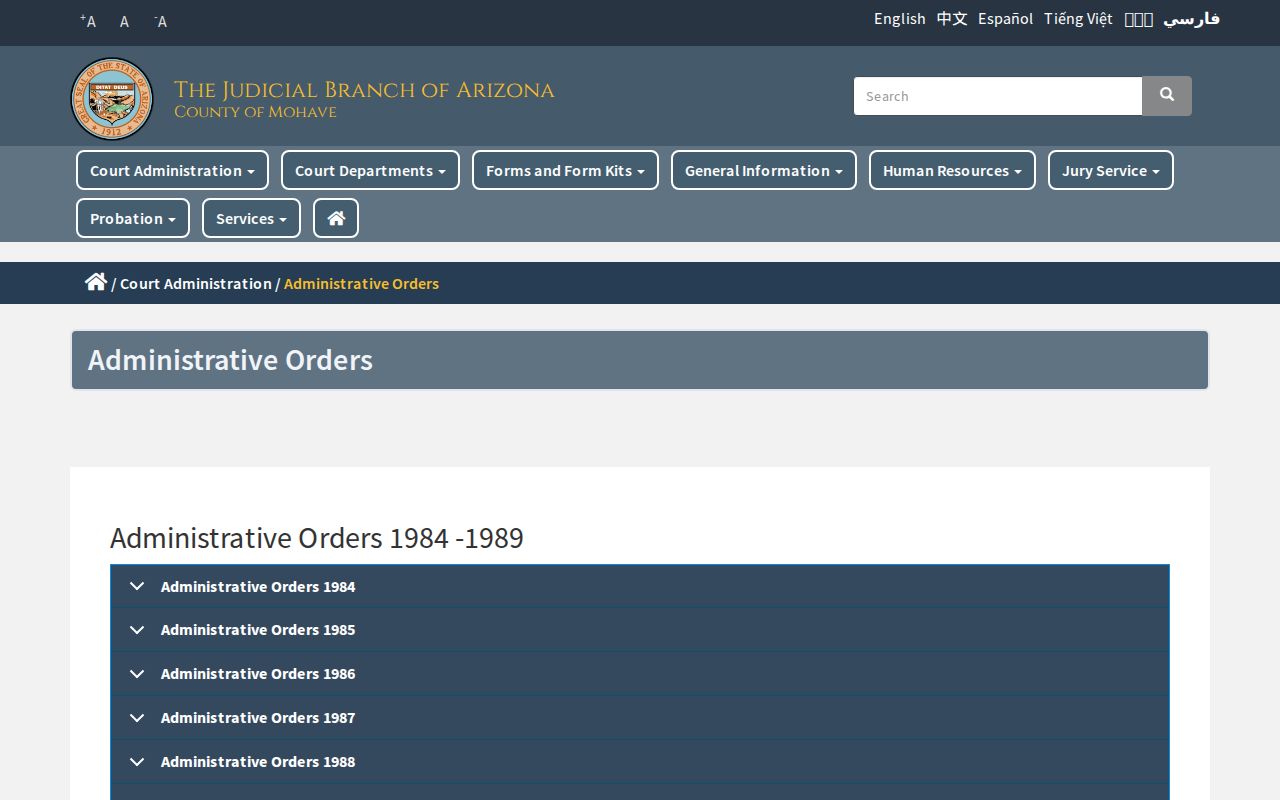
Current orders and the live judicial-officer directory are safer than an old division note when selecting a calendar.
Confirm Mohave Dates Before Travel
Mohave County spans Kingman, Bullhead City, Lake Havasu City, and the remote Arizona Strip. The practical fallback chain is case detail, judge calendar, filed notice, division or limited-court phone, then courthouse counter or posted calendar. A call before a long trip is prudent when a setting has moved or a calendar is blank.
The official jury schedule is another example of live date and cancellation information.

Its visible status approach reinforces the need to check the current court source shortly before appearing.
What To Do If You Miss a Setting
Contact the court named on the case immediately. Give the full number and ask what entry was made, whether a new date exists, and what procedure the court requires. If represented, contact counsel as well. Do not assume the online calendar alone shows every consequence or that paying another court will cure the missed Mohave County setting.
Missed a Setting? Consequences depend on the case and may include a failure-to-appear entry, default, warrant, or other court action.
Call the originating clerk at once and follow that court's instructions for addressing the missed date.
Seek advice from a licensed Arizona attorney when legal rights or a possible warrant are at issue.
After the call, write down the clerk's logistical instructions and check the case history for the next filed event. A new setting should be matched again to the court, number, judge, time, and hearing type. If the missed matter is traffic, the issuing Justice or Municipal Court remains the point of contact. If it is a Superior Court case, use the assigned division rather than a general county office. Quick action does not guarantee a result, but it avoids relying on a stale calendar line.